 Qingjian · 轻简
Your resume.
Your file.
Write in Markdown. Preview on A4. Export to PDF.
用 AI 改 Markdown,用轻简看排版。
Keep content and layout together in one portable file. Use your editor or an external AI assistant, then review the page in Qingjian.
No account or backend required. Editor interface: 简体中文.
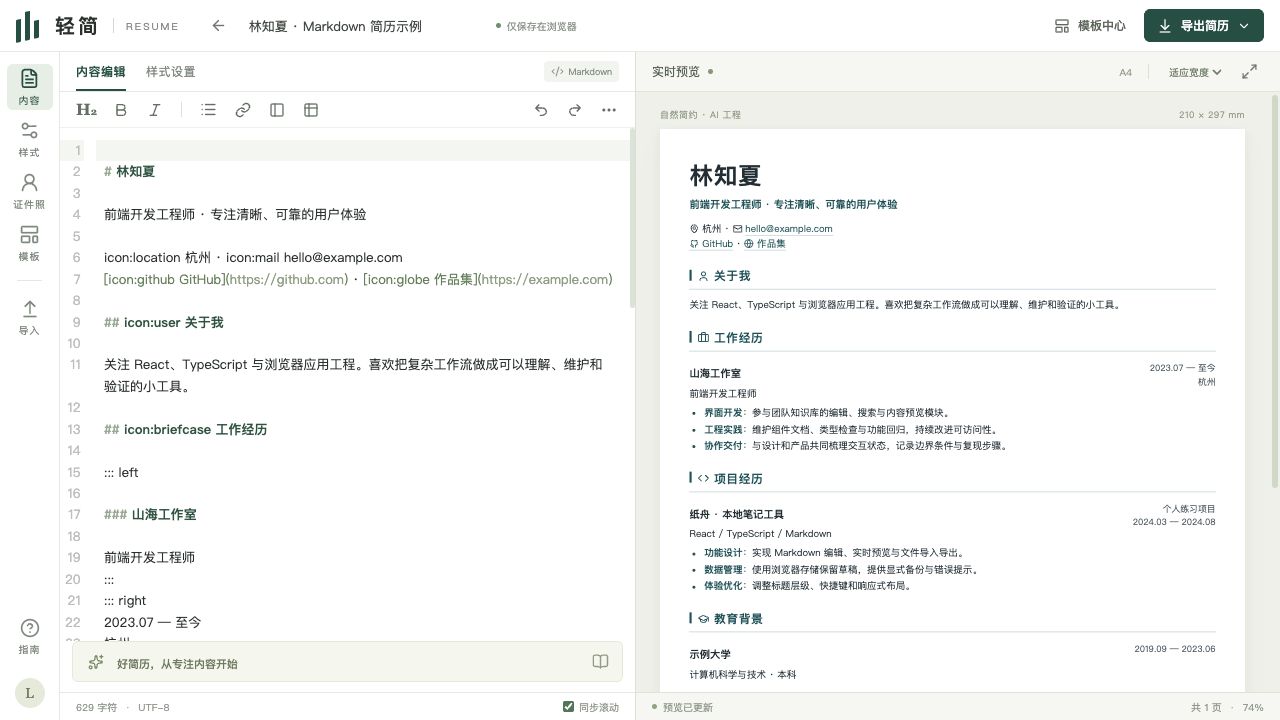
A real editor screenshot, using a fictional resume.
One Markdown file. A clear working loop.
Keep your source
Content, YAML layout settings, and optional embedded media stay together. Back up the file or manage versions yourself.
See the page
Live A4 preview, automatic pagination, seven templates, and browser PDF printing.
Work with your tools
Desktop Chrome / Edge can connect an authorized folder and read external changes while the page is active.
Write with AI. Preview with Qingjian.
Give an external assistant your facts and the format guide. It edits the file; Qingjian previews it. Review every factual change yourself.
Seven templates. The same content.
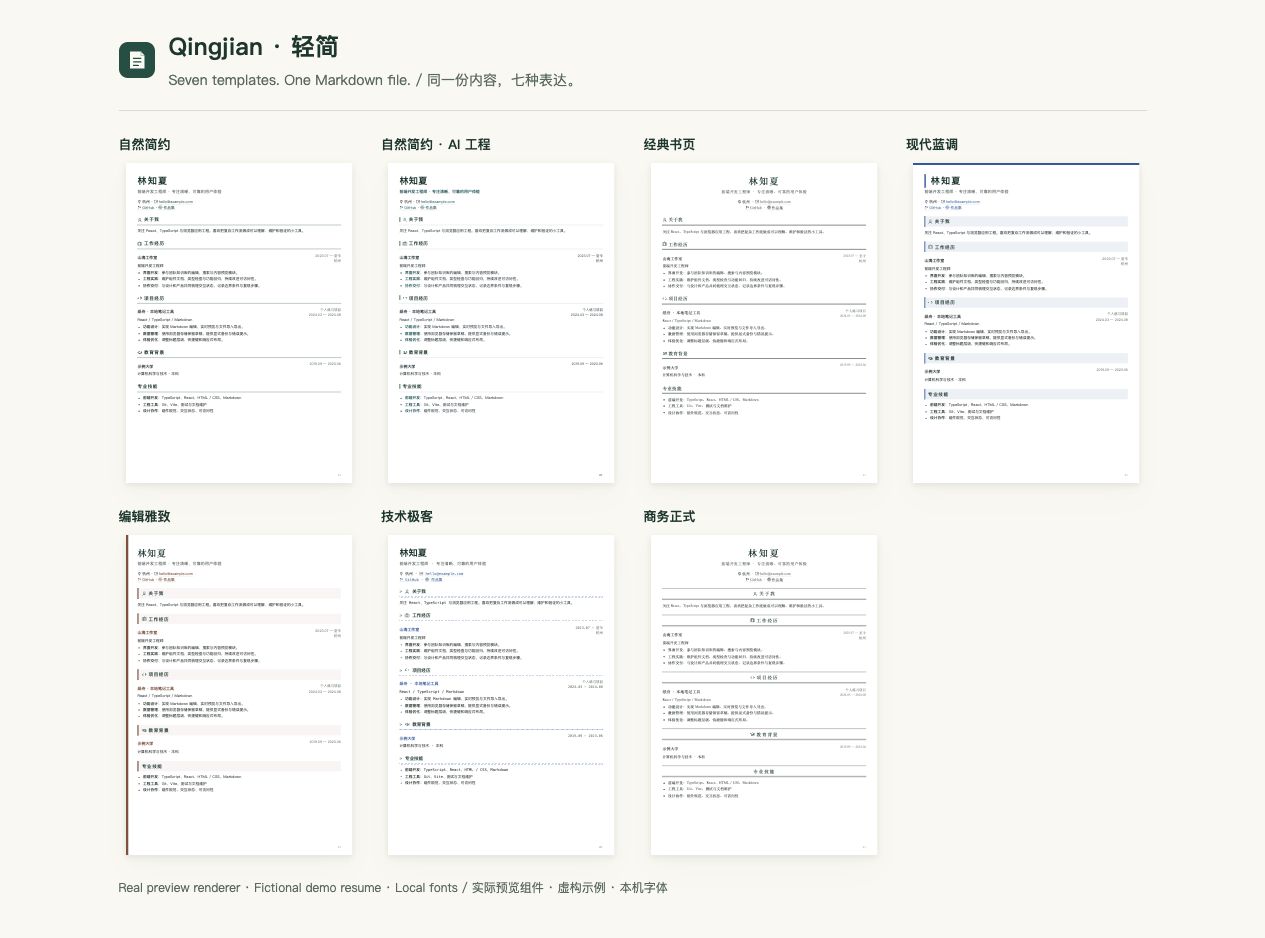
Minimal · AI Engineering · Classic · Modern · Editorial · Technical · Formal.
Start with an example
- Open the editor and edit or import Markdown.
- Choose a template and check pagination.
- Print to A4 PDF and keep your Markdown backup.
Native folder sync requires desktop Chrome / Edge, HTTPS or localhost, and File System Access API plus Web Locks. Import/download remains available when unsupported. Offline reload and ATS compatibility are not guaranteed.